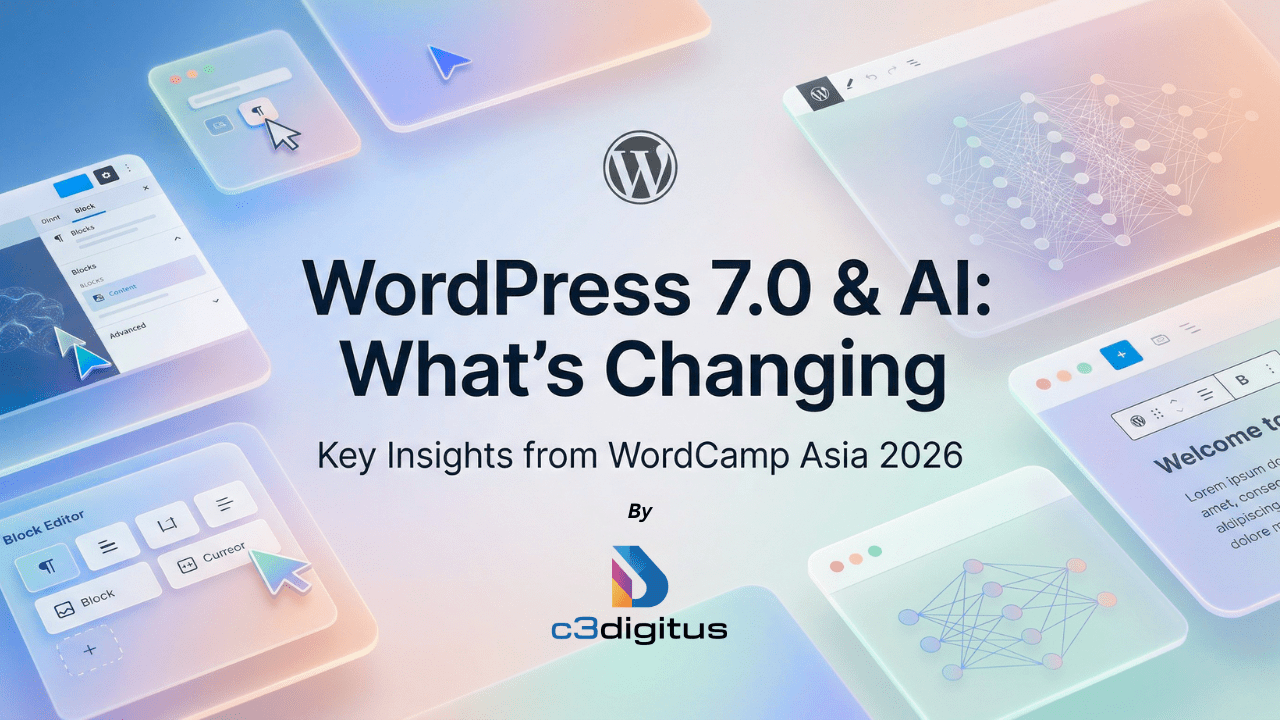
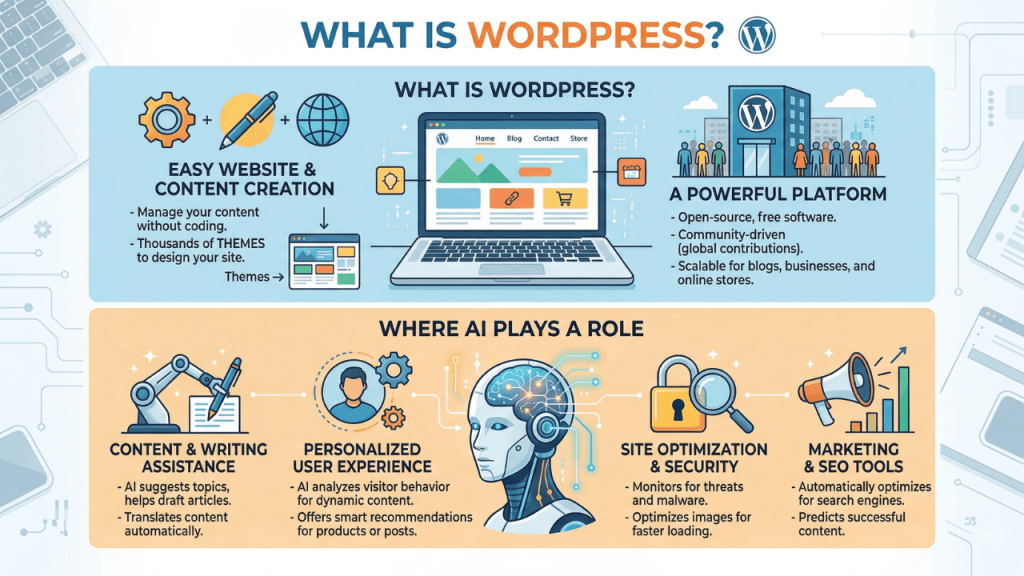
First of all, what even is WordPress 7.0?
If you're new to the platform or haven't been following the development cycle closely, check out our breakdown of what WordPress actually is and how it works before diving in it'll give this a lot more context.
For everyone else: WordPress 7.0 is the biggest release in years. It was originally scheduled to drop on April 9, 2026, timed intentionally to coincide with WordCamp Asia, but the core team pushed it back to resolve a stability issue in the real-time collaboration system. More on that below. The good news is that the delay is responsible, not a red flag, and the features are essentially ready.
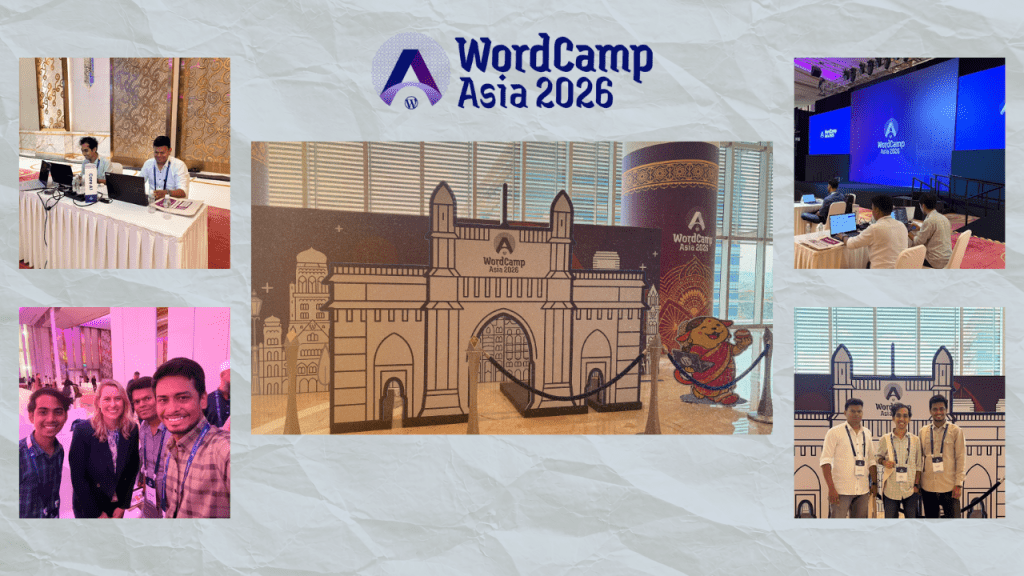
Mumbai, April 2026. Over 2,200 WordPress professionals packed into the Jio World Convention Centre for three days that, honestly, felt less like a conference and more like a turning point.
Our SEO and Dev team, including our Sr. Digital Growth & Technology Manager, Kartik Pandya, from c3digitus, were on the ground at WordCamp Asia 2026. And what came out of it wasn't just a set of announcements. It was a much clearer picture of where WordPress is heading, who it's heading there for, and what you need to start thinking about right now if you're building on it.
Let's get into it.
Here's what's coming:
Feature 1: Real-Time Collaboration now explains: the 12-year context of WordPress's single-editor limitation, how CRDT and Yjs work mathematically, why HTTP polling was chosen over WebSockets and how hosts can override it, the wp_sync_storage post type, the two-collaborator default and how to adjust it, what the Notes system does alongside RTC, the meta box migration path for developers, and what it means differently for content teams vs agencies vs newsrooms vs solo bloggers.
Feature 2: Visual Revisions now covers the full colour system (green/red/yellow at both block and text level), the operational impact for agencies and publishers, and how it connects to the Notes history.
Feature 3: Omnibar now explains what it replaced, exactly what you can do from it, the design system packages powering it (@wordpress/theme and @wordpress/ui), and its WCAG 2.2 AA accessibility compliance.
Feature 4: Admin Dashboard now explains the 2013 context, DataViews in full technical detail, the groupByField → groupBy breaking API change, DataForm's new controls, and the full visual refresh components.
Feature 5: Font Library now covers every action available in the library, explaining why the classic theme restriction existed, the brand consistency benefit, and when you can remove third-party font plugins.
Feature 6: New Blocks goes deep on each: how the Icons Block uses the REST API at /wp/v2/icons, both PHP filters for the Breadcrumbs Block, who benefits from breadcrumbs (WooCommerce, documentation sites), and why Heading Variations change editorial thinking about document structure.
Feature 7: Block Upgrades adds keyboard navigation detail for Gallery lightbox, the CSS mechanism behind Grid responsiveness, video looping behavior in Cover, and the pattern template approach for Navigation overlays.
Feature 8: Responsive Block Visibility now includes specific design use cases, the CSS vs DOM removal distinction with accessibility implications, and the Accessibility Team review.
Feature 9: Client-Side Media Processing now explains each format (AVIF, WebP, MozJPEG) with specific compression benchmarks, includes the Beta 6 reversion note, and differentiates who will feel the difference most.
Feature 10: PHP-Only Blocks now explains the full JS build stack developers previously needed, what types of blocks suit this approach vs don't, and who benefits most.
Feature 11: WP AI Client now explains the fragmentation problem it solves, exactly what the Connectors Screen manages, all six current providers, and what the roadmap unlocks.
Feature 12: JavaScript Abilities API explains both packages and their separation of concerns, what you register on an ability, and the WebMCP connection.
Feature 13: Pattern Editing gives full explanations of Spotlight Mode, Isolated Editor Mode, and Content-Only default, with practical use cases for each.
Feature 14: React 19/PHP now covers React 19's specific deprecations, the iframe CSS isolation mechanism, the 4% usage threshold that triggered the PHP 7.2/7.3 drop, the AI-specific PHP 8.2 recommendation, and PHP 8.5 beta support signalling.
What Actually Happened at WordCamp Asia 2026
The Scale of It
This wasn't a small gathering. WordCamp Asia 2026 brought together over 2,281 attendees across three days, including Contributor Day on April 9, followed by two full conference days. More than 1,500 people participated in hands-on contribution work alone, spread across 38 tables led by experienced team leads. Sessions ran across Foundation, Growth, and Enterprise tracks simultaneously, and every workshop was packed.
The energy in Mumbai was genuinely electric. First-time attendees were networking confidently within hours. Hallway conversations ran as deep as anything on the main stage.
Mary Hubbard's Fireside Chat: Trust Is the New Currency
One of the most-talked-about moments from Day 1 was the fireside chat with Mary Hubbard, Executive Director of WordPress, moderated by Shilpa Shah. It came early in the program and set the tone for everything that followed.
The core message: WordPress is no longer just a publishing platform. It's evolving into a security-first ecosystem. Its open-source foundation, powered by a global contributor community, creates built-in resilience through continuous testing, iteration, and improvement. That's not just collaboration, it's a structural advantage.
The key line that stuck with us: WordPress doesn't just scale content. It scales trust. And in today's digital landscape, trust has become the most valuable currency a platform can offer.
James LePage on AI and the Open Web
One of the opening sessions by James LePage tackled what was clearly the dominant theme of the entire event: how WordPress is responding to AI.
The framing that resonated most: AI doesn't replace the open web, it makes the open web more valuable. The people and platforms that create, curate, and publish original content will matter more in an AI-mediated internet, not less. That's actually a significant reframe for anyone who's been worried that AI kills the need for websites.
The WooCommerce Scalability Question Straight from Our Team
Our Sr. Manager - Digital Growth & Technology, Kartik Pandya, asked Mary Hubbard a question that's been sitting in a lot of agency conversations but rarely gets asked directly:
"How scalable can we think of WooCommerce? We have a few clients who love WordPress because of its flexibility and because it's just a genuinely easy CMS to work with. But they have millions of SKUs generating dynamically. Can we offer them WooCommerce with confidence?"
It's exactly the kind of real-world question that rarely makes it to a keynote stage, and Mary Hubbard gave a confident, direct answer: WooCommerce is very scalable. She was clear about that. The platform itself isn't the ceiling; it's built to handle enterprise-level load. For the specific architectural configuration Kartik was describing, she brought her dev team in to get into the details, which is exactly what you'd want from a leader who knows when to hand it to the right room.
The message from that exchange was unambiguous: if you're a WordPress-first business with a large and growing catalog, WooCommerce isn't a risk. It's a platform decision that, when implemented correctly, holds up.
Here's our take on it as an agency: WooCommerce absolutely can handle catalog sizes in the millions when paired with the right infrastructure, object caching, proper database optimization, and headless or Jamstack setups where WordPress handles data and a modern frontend handles rendering. We've been working through this exact pattern with clients, and the architecture works. The question is always implementation quality, not platform capability. If you're evaluating this for your business, comparing WordPress to other CMS platforms is a useful first step to understand where it genuinely excels at scale.
The AI + WordPress Story: What's Actually Changing
This was the thread running through almost every session at WordCamp Asia. Here's the breakdown of what's real versus what's still in progress:
1. Your WordPress Site Can Now Talk to Any AI Provider
WordPress 7.0's AI Connector infrastructure introduces a single, unified interface for managing AI providers OpenAI, Anthropic (Claude), Google, and community-built connectors for OpenRouter, Ollama, and Mistral are already available. One place for API keys. Hosts can bundle AI credits, and it just works.
Previously, every plugin that wanted to use AI built its own integration from scratch, including authentication, request formatting, and response parsing, all repeated independently. The new shared AI Client fixes this. Write features once against a standard interface, switch providers with a configuration change.
2. Your Site Can Tell Any AI What It's Capable Of
The Abilities API is the piece that changes the relationship between WordPress and external AI tools fundamentally. Your site can now publish a machine-readable list of everything it can do: generate images, update content, manage users, and internal link pages. Any AI reads it and decides what to call.
This is quietly one of the most important architectural shifts WordPress has made. It moves your site from a passive content repository to an active participant in AI workflows.
3. AI Agents Can Now Act On Your Site's Behalf
Through the MCP Adapter (Model Context Protocol), external AI tools Claude, ChatGPT, and Cursor can discover your site's capabilities and invoke them. You can chain actions together: triggers, conditions, sequences. Draft a post, categorize it, write a meta description, and publish all from a single natural language instruction to your AI client of choice.
WordPress.com already opened write capabilities to AI agents in March 2026, adding 19 operations across posts, pages, comments, categories, tags, and media. The key safeguard: every write operation requires explicit user confirmation. Nothing happens silently.
For self-hosted WordPress sites, the MCP Adapter and Abilities API become part of core with WordPress 7.0. The infrastructure ships to every WordPress installation on every host, though site owners still control what gets enabled.
WordPress is not competing with AI. It's adapting to become the platform that makes AI useful in the real world, rather than being displaced by it.
Two Things Nobody Else Is Saying (From Us, At c3 Digitus)
The Headless-AI Stack Is About to Become the Default for Scale
Everyone's talking about AI and WordPress separately. The conversation that hasn't happened enough yet: the combination of headless WordPress and AI Abilities is going to create a new class of enterprise-scale sites that wouldn't have been feasible 18 months ago.
Think about it. A headless WordPress setup already separates content management from rendering. Add the MCP Adapter and Abilities API, and now AI agents can interact with your content layer, manage catalog updates, trigger editorial workflows, or sync inventory without a human touching the CMS. For clients with large product catalogs or content at scale (this is directly relevant to the WooCommerce scalability question Kartik raised), this isn't theoretical. This is the architecture we're already planning around.
The practical takeaway: if you're building a serious e-commerce or publishing setup in 2026, the question isn't "should we go headless?" It's "which AI workflows do we need our headless setup to support?"
Your WordPress Theme Choice Is Now an AI Compatibility Decision
This is a point that's getting almost zero attention right now, and we think it deserves its own conversation. With the Abilities API exposing site capabilities and AI agents querying theme context before generating content, reading your block patterns, color palette, typography, and spacing, your theme is no longer just a design choice. It's a data layer.
AI agents need to understand your site's design system to generate content that fits. A well-structured block theme gives AI significantly better context than a legacy theme with custom page builders. If you're using an older theme or thinking about a redesign, this is the right time to think it through. Here's how to choose the best WordPress theme for your site in a way that also sets you up for what's coming.
What Comes After 7.0?
The closing remarks at WordCamp Asia included an announcement from Chenda Ngak: WordCamp India joins the flagship calendar in 2027, making it the fourth flagship WordPress event globally. That's a significant recognition of India's role in the WordPress ecosystem, given the depth of contributor activity and technical talent concentrated here.
On the product roadmap: WordPress 7.1 is tentatively planned for August 2026, focused on further improvements to collaborative workflows. WordPress 7.2 is expected around December 2026, expanding collaboration features and taking first steps toward native multilingualism in core.
The pace is back. After a slower 2025 (which, to be fair, was deliberate; the team chose stability over rushed features), WordPress has returned to a three-release-per-year cadence.
So What Should You Do Right Now?
If you're managing a WordPress site, a few practical things to act on before 7.0 lands:
Set up a staging environment and test the 7.0 nightly build. The real-time collaboration feature, in particular, is worth experimenting with early.
Audit your plugins for compatibility. Plugins that modify the Posts, Pages, or Media list views are at the highest risk of breaking due to DataViews changes. Popular ones like Yoast, ACF, WooCommerce, and Gravity Forms are expected to be ready, but verify.
Check your PHP version. WordPress 7.0 drops support for PHP 7.2 and 7.3. The new minimum is PHP 7.4, with PHP 8.2+ recommended.
If you're using AI in your workflow, explore the Connectors screen. Once 7.0 ships, go to Settings → Connectors and configure your preferred AI provider. This is infrastructure worth understanding now rather than scrambling to set up when a client asks for it.
And if you're an agency building at scale, the MCP + headless stack conversation needs to happen with your clients sooner rather than later. The window to position yourself ahead of this is short.
WordCamp Asia 2026 wasn't just a conference. It was a signal. WordPress is scaling trust, scaling AI capabilities, and scaling its community all at the same time. The platform is more relevant now than it was two years ago, and that trend is accelerating.
We're watching it closely, building on it actively, and we'll keep sharing what we learn. The c3 Digitus team attended WordCamp Asia 2026 in Mumbai, April 9–11, 2026.
Sources: WordCamp Asia 2026 official recap,WordPress 7.0 Beta 1 announcement,WordPress Developer Blog April 2026,WordPress MCP Adapter,WordPress.com AI Agents write access announcement.