
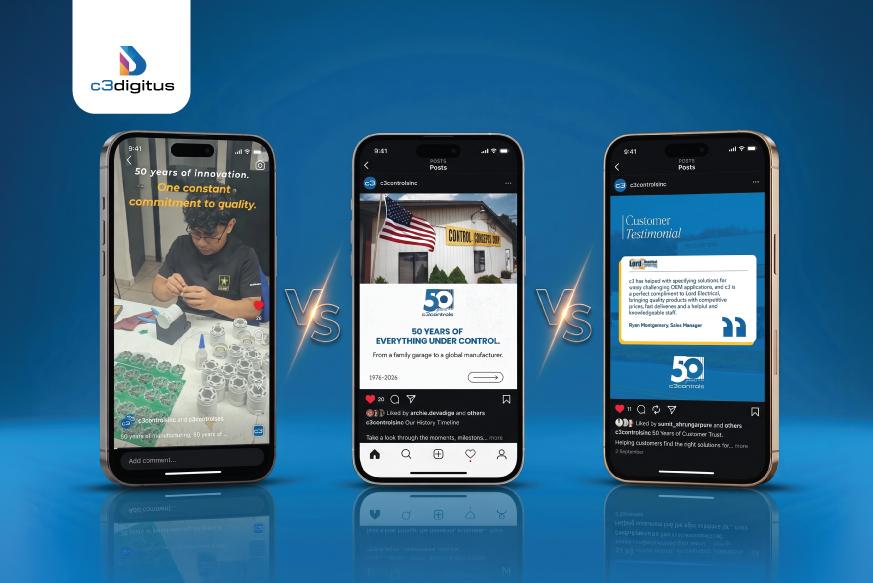
Reels vs carousels vs static posts at a glance
Decision factor | Reels and short video | Carousels and document posts | Static posts |
|---|---|---|---|
Best starting point | A process, demonstration or expert explanation | A comparison, checklist or sequence | One announcement, image or proof point |
How information unfolds | The edit controls the pace | The reader moves between slides | The main message appears in one frame |
Useful B2B application | Show a component operating or a process being explained | Explain selection criteria or supplier evaluation questions | Identify a product feature, event detail or approved result |
Evidence needed | Clear footage and accurate context | Approved source material and a logical explanation | A strong image, fact or quotation |
Production demand | Capture, sound, editing, captions and review | Writing, design, sequencing and review | Focused copy and design; original photography can add effort |
Main limitation | Important detail can pass too quickly | Readers may not reach later slides | Complex claims can become oversimplified |
These are communication strengths, not guaranteed performance rankings. Meta explains that its Facebook and Instagram ranking systems combine multiple predictions and signals to personalize recommendations. That does not establish a universal winner for every company, topic or audience.
When planning social media content for manufacturers, begin with the decision your audience faces. Choose the format that makes the necessary evidence easiest to understand.
When Reels work best for B2B companies
A Reel is useful when movement, timing, sound or a person’s explanation contributes something a still image cannot show. Factory floor video content becomes more valuable when viewers understand what is happening and why it matters to their application.
Strong subjects include a product changing state, a machine completing an approved demonstration, an expert explaining a recurring application question, or an operator showing a visible quality check. A brief event walkthrough can also help a prospective visitor decide which demonstration to see.
Show the relevant action early
Open with the component, process or buyer question. A long logo animation delays the useful information. For example, “What does this inspection report tell a buyer?” identifies the audience and purpose more clearly than “You won’t believe what happens next.”
Explain three things: what the viewer is seeing, what the demonstration establishes and what remains outside its scope. If footage is accelerated, label it. If the demonstration uses a sample part, do not imply that every production unit undergoes the same procedure.
Use as much time as the explanation needs. A short clip can introduce a technical topic, while a detailed test method may need a longer video or supporting page. Our short-form versus long-form video guide examines that separate duration decision.
Plan for technical clarity
Record the process from an approved position with enough detail to show the relevant feature. Check that captions do not obscure the instrument, component or result. Explain essential visual information in the narration so the point is not available only to people who can see it. The W3C guidance on describing visual information explains how to plan that access into a video.
Review automatic captions for model numbers, units and specialist terminology. The W3C guidance on video captions explains why captions must represent meaningful speech and sound accurately. For B2B video content production aimed at engineers, an incorrect unit can undermine the entire explanation.
Do not choose music simply because it is popular. Clear narration may be the better choice for a technical demonstration. Confirm that any audio you use is cleared for the intended commercial use and distribution.
Choose another format when: the footage cannot show the relevant detail, the essential information is a comparison the viewer needs to inspect, or the team cannot obtain approved footage. Turning still images into a fast slideshow does not automatically make the explanation better.
When carousels work best for technical content
A carousel places several images or videos within one post so readers can move through them. On LinkedIn, what marketers often call a carousel is commonly a multipage document post. These formats are useful when the audience benefits from controlling the reading pace.
Consider a carousel for a component comparison, an RFQ preparation checklist, a sequence of application questions or a case study with several pieces of evidence. It can serve a new prospect or an active evaluation team. It is not restricted to the middle of a sales funnel.
Give every slide a distinct purpose
Start with a specific question or outcome. “Five questions to ask about an inspection report” gives the reader a reason to continue. “Quality you can trust” leaves the substance unclear.
Use a sequence that develops the answer: identify the problem, explain the relevant criteria, show evidence, qualify the claim and offer a useful next step. The number of slides should follow the explanation. Avoid stretching one idea across a long deck to manufacture more swipes.
Each slide should remain understandable if someone shares it separately. Include units, relevant conditions and a short source reference beside data. Do not place a major limitation only on the final slide if it changes the meaning of an earlier claim.
Adapt the file to the platform
LinkedIn supports document uploads including PDF and presentation files. Its document publishing guidance notes that animations display as static images and the uploaded document itself cannot be edited within the existing post. Complete technical review before publishing and plan how you will correct outdated material.
An Instagram media carousel and a LinkedIn document are different publishing formats. Rebuild the content for the destination rather than assuming one exported file will behave identically everywhere. Preview the actual upload on a phone.
Choose another format when: one image communicates the whole message, motion is essential to the evidence, or the deck would require tiny drawings and unreadable specifications. A carousel can introduce a technical resource without replacing that resource.
When static posts are the strongest choice
A static post uses one image, photograph or graphic. It works well when the audience can understand the core point without a sequence or demonstration.
Useful examples include an annotated component photograph, an approved customer quotation, an event location and meeting invitation, or one clearly sourced result. A static image can also introduce a technical article by showing the exact problem the article answers.
Its value is not limited to keeping a feed visually consistent. For an active prospect, one legible photograph identifying a connection point may be more helpful than a video they must pause repeatedly. For a distributor, a clear product availability announcement may answer the immediate question.
Make one claim and support it
Use the image for the central point and the caption for context. Identify what the buyer is looking at, explain its significance and provide a relevant route to more information.
If you publish a result, include the source and conditions. If you use a testimonial, preserve its approved meaning and attribution. A stock photograph of equipment cannot establish that your company owns that equipment or performed the work shown.
Static posts can be efficient when the source material is ready. They are not always cheap or quick: original photography, accurate diagrams and customer approvals still require work.
Choose another format when: the message needs several comparisons, readers must see a process unfold, or the image becomes a crowded miniature brochure. Split the explanation or direct readers to a suitable resource instead of shrinking the text.
Match the format to the buyer’s decision
Do not assign Reels permanently to awareness, carousels to consideration and static posts to conversion. A demonstration can resolve a late-stage objection. A single compelling photograph can introduce an unfamiliar supplier. A checklist can help an existing customer prepare for a new project.
Buyer situation | Format to start with | Evidence to include | Relevant next step |
|---|---|---|---|
An engineer needs to understand operation | Reel or short video | Visible action, operating context and limitations | View the application or demonstration page |
Procurement is comparing suppliers | Carousel or document | Evaluation criteria and supporting documentation | Review capabilities or discuss requirements |
A distributor needs one product update | Static post | Approved product identification and scope | Open the product page or contact the account team |
An automotive quality team is evaluating a process | Carousel plus an optional demonstration | Approved procedure context and sample documentation | Request a technical discussion |
A prospect is planning a trade show visit | Static invitation or short demonstration | Actual event details and the reason to meet | Book a relevant meeting |
A candidate is assessing the workplace | Video or a focused employee image | Authentic role and workplace information | Review the job opening |
Recruitment, customer service and sales content can all be valuable. Label their objectives separately so successful hiring content does not distort your assessment of qualified buyer demand.
For time-sensitive reminders and replies, Stories may support the campaign. Keep that decision separate from this feed-format comparison; our Reels versus Stories guide covers the distinction.
One supplier topic developed into three formats
The following is a hypothetical production example, not a c3digitus campaign or a claim about measured performance. It keeps the topic, intended audience and commercial objective consistent so the differences between formats are easier to assess.
Topic: What a dimensional inspection report should help a buyer understand.
Audience: Quality engineers and purchasing teams evaluating a component supplier.
Objective: Encourage suitable prospects to review the supplier’s quality capabilities and request a relevant discussion.
Source material: An approved demonstration part, footage of the relevant measurement, a clearly labeled sample report and a quality specialist’s explanation. Customer identities, proprietary drawings and sensitive identifiers are excluded.
Reel treatment
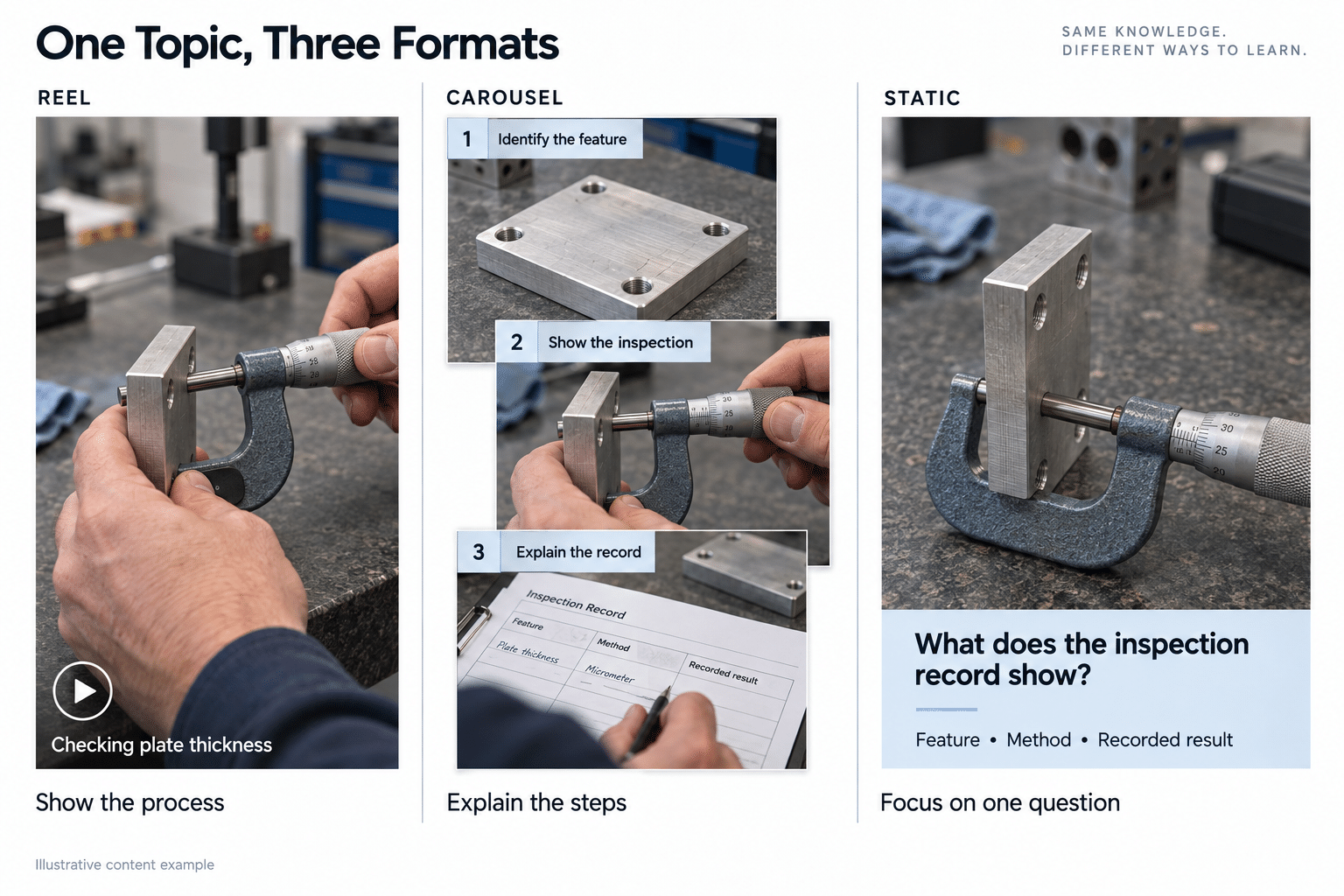
Open with a close view of the sample report and the question: “Can you connect this inspection result to the feature it describes?”
Show the approved sample part, the relevant feature and a brief measurement sequence. The specialist explains how the report identifies the feature, applicable requirement and recorded result. End by noting that buyers should also confirm the inspection scope and documentation requirements for their project.
The caption identifies the footage as a demonstration and directs interested readers to the supplier’s quality capability information. The purpose of motion is to connect the physical feature to the record, not to make a broad claim about every production process.
Carousel treatment
Use six slides as an editorial starting point, not a platform requirement:
- Cover: “What should an inspection report tell your team?”
- Identification: Show how a sample report relates to the relevant part and revision.
- Feature and requirement: Explain how the inspected feature and its requirement are identified.
- Recorded result: Show an approved example with legible units and context.
- Scope: Ask whether the inspection covers a sample, selected characteristics or another agreed scope.
- Next step: Invite the buyer to review quality capabilities and discuss project documentation needs.
This treatment lets the reader pause over each question. It also gives sales a resource to share when similar questions arise in supplier evaluation.
Static treatment
Use one annotated sample report excerpt with the headline: “An inspection result needs context.” Highlight the feature identifier, requirement and recorded result. Keep annotations large enough to read on a phone.
Suggested caption: “A number means little without the feature, requirement and inspection scope behind it. When evaluating a component supplier, confirm how results connect to the part and documentation your project needs. This sample illustrates the questions to ask; it does not represent a customer inspection record.”
Add the same next step used in the other treatments. The static version answers one focused question; it does not need to reproduce the entire carousel.
Make technical content readable on mobile
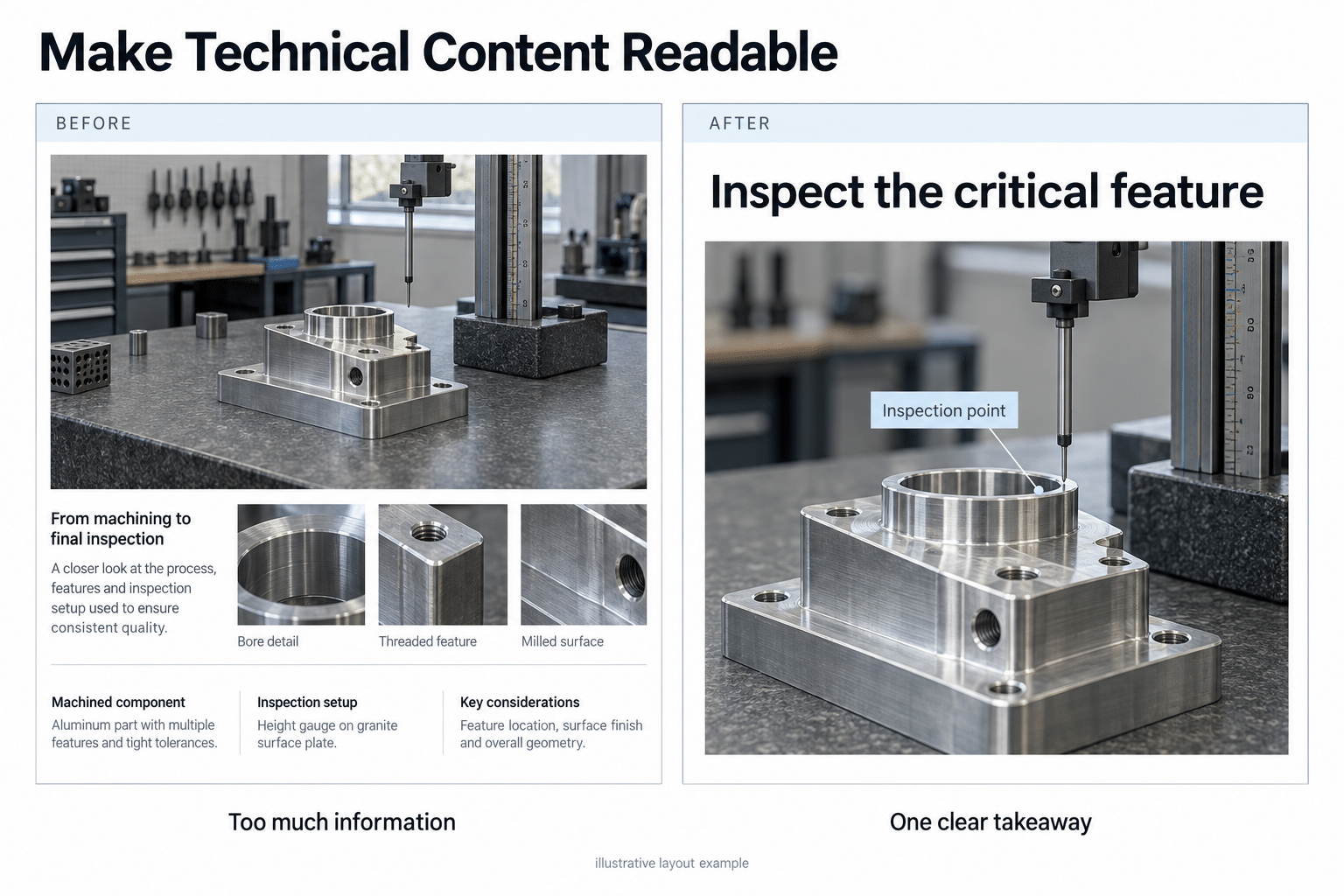
Social media content creation for technical industries requires more than resizing a sales presentation. View the export at normal phone size and check whether a buyer can understand the important information without zooming.
- Use one visual priority. Crop around the relevant feature and remove decorative elements that compete with the evidence.
- Keep labels legible. If a drawing needs tiny text, show a simplified excerpt and direct readers to the full technical resource.
- Preserve context. Retain units, scale information and conditions that affect the meaning of a result.
- Use strong contrast. The W3C text contrast guidance provides a useful reference for readable text and images of text. Pale lettering over machinery is difficult to interpret.
- Provide text alternatives. Write useful alt text where supported and explain the core visual information in accessible surrounding text. The W3C guidance on informative images focuses on conveying the information an image contributes.
- Preview interface overlays. Check that captions, platform controls and crops do not cover the product, result or next step.
For factory footage, confirm filming permission, approved working practices and technical review before capture. Do not stage a shot that changes how the process is safely performed. Plan approved substitutes when customer parts, screens or documentation cannot be shown.
Use captions and links to continue the buyer’s research
The visual should deliver the main point. The caption can identify the audience, explain a qualification, cite a source and tell an interested reader where to go next.
For a technical post, a useful caption structure is: buyer question, explanation of the evidence, relevant limitation, then one next step. Ask a specific question in the comments when it will reveal a real information need. “What documentation does your team need during supplier review?” is more useful than asking for a reaction with no connection to the topic.
Choose a destination that matches the promise. A demonstration should lead to the relevant capability or application page. An event invitation should lead to meeting or registration information. Avoid sending every interested buyer to a generic homepage.
Test the actual link route in the publishing account. Caption text, document links, profile links and paid buttons can behave differently across platforms. Do not assume a pasted URL is clickable in every organic placement.
Tag outbound links consistently so visits can be associated with the campaign and creative. Google’s campaign URL guidance explains how source, medium, campaign and content parameters support that reporting. Where a shared profile link prevents reliable post-level attribution, report that limitation.
Test formats without confusing popularity with business value
A public post’s likes cannot establish its lead quality or conversion contribution. Comparisons between unrelated brands also combine differences in audience size, topic, spend and distribution. Use them for creative ideas, then test the underlying approach with your own audience.
Build a comparable test
Select three recurring buyer questions and create a video, carousel and static treatment for each. Keep the intended buyer, core claim, offer and destination consistent within each topic. Run the comparison within one platform, using the same publishing account, and separate organic activity from paid campaigns. Use Reels and media carousels on Instagram, or native video and document posts on LinkedIn.
The schedule below is a proposed nine-post test; “carousel” includes LinkedIn document posts. It rotates format order across topics so one format is not always the first exposure to an idea.
Publishing round | Topic A | Topic B | Topic C |
|---|---|---|---|
First round | Short video | Carousel | Static |
Second round | Static | Short video | Carousel |
Third round | Carousel | Static | Short video |
Use comparable publishing opportunities and record dates, audience or follower changes, employee sharing, collaborations, and paid support. Measure each post over the same initial window, such as its first seven days, and review later inquiries separately. The example window is an operating choice, not a statistical threshold.
Organic audiences cannot be held identical, and repeat exposure may affect later posts. Treat this as a structured field test, not proof that format alone caused the result. If your audience or posting volume is small, extend the test rather than declaring a winner from one inquiry.
Compare response quality and production effort
Evidence | What to record | How it helps the decision |
|---|---|---|
Distribution | Reach or impressions, exact definition and available audience demographics | Establish whether relevant people had an opportunity to see the post |
Content response | Saves where available, substantive comments, shares and relevant video attention | Identify which explanation people found useful |
Further investigation | Profile actions, destination clicks and tagged website visits | Examine movement toward more detailed information |
Commercial response | Relevant messages, deduplicated inquiries and sales feedback | Distinguish interest from a suitable business need |
Production effort | Capture, writing, design, editing and approval hours | Decide whether the useful response justifies the workload |
Do not compare unlike metrics as if they measured the same behavior. LinkedIn Page analytics includes clicks on content, the company name and the logo in its click reporting. Those are not all website visits, and its engagement rate is not a measure of document completion.
Similarly, YouTube distinguishes Shorts views from engaged views. A raw video view total is not equivalent to reading a carousel or making an inquiry. Use the native metrics available, record their definitions and mark unavailable measures honestly.
If a carousel receives more saves but the video creates more suitable application discussions, neither result should disappear into one engagement score. Decide whether your priority is reusable education, new inquiries, sales support or another defined outcome. Compare against your own relevant history rather than a generic industry percentage.
For wider measurement definitions, see our guide to reach, impressions and engagement in B2B. If all formats struggle, investigate why Instagram posts underperform before blaming the format alone.
Build a sustainable mix from the assets you have
Start with the evidence available this month. If your team has strong technical documents but little approved footage, prioritize carousels and focused static posts while planning the next capture session. If motion is central to the product and demonstrations are available, make video a regular part of the mix.
Do not produce all three formats for every topic. Reuse is worthwhile when each version answers a different question or removes a different barrier to understanding. Repeating the same headline and caption in three layouts adds workload without necessarily adding value.
During one planned shoot, capture usable motion, still photographs, close views and a concise expert explanation. Store each asset with its topic, approved claims, limitations and review owner. That makes later reuse more reliable when products or specifications change.
Record the buyer, purpose, source asset, format, technical reviewer and next step in your social media content calendar. Review the mix according to useful outcomes and the effort required to sustain it.
Turn approved footage into useful content across formats
c3digitus’s The Creative Hero content repurposing service is built around turning a factory visit or product shoot into a month of social, video and marketing content. It is relevant when a manufacturing team has access to valuable processes and expertise but needs a repeatable way to turn that material into published assets.
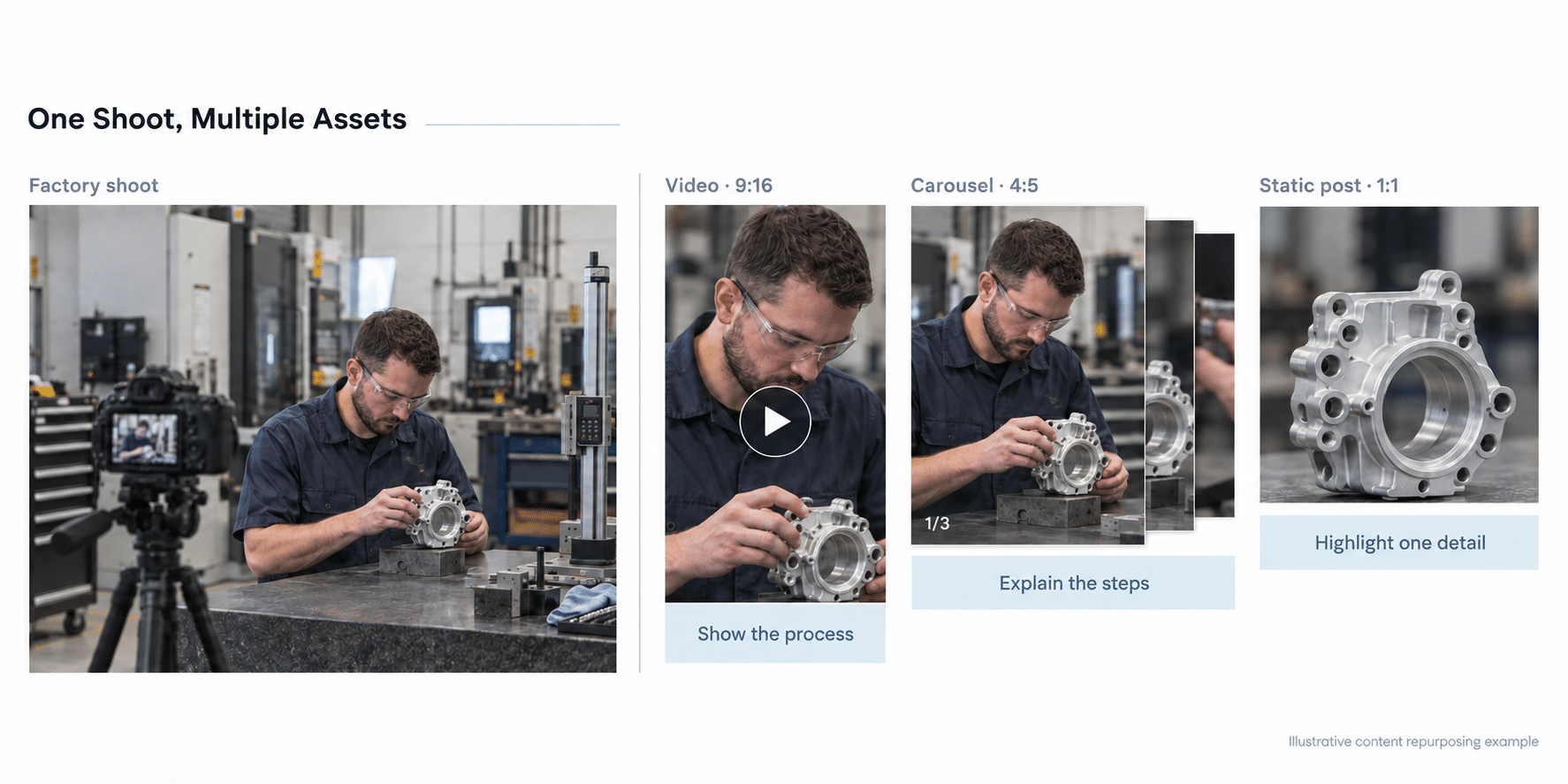 Content repurposing for B2B manufacturing brands works best when the questions and capture requirements are planned together. A demonstration can become a Reel, its selection criteria can become a carousel, and one approved proof point can support a static post. The supplier example above illustrates that approach without claiming campaign results.